Giving Windows XP a Graphics Card in the Browser: SVGA3D to WebGL2
Oct 11, 2026 · Emulation · Webulator · WebGL · Windows XP
The PC in Webulator is v86: an x86 emulator whose CPU is JIT-compiled to WebAssembly, with VGA and VBE for display. That is enough for a Windows 98 desktop, but it has no 3D hardware at all; every frame is written by the CPU, pixel by pixel.
This post is about adding a virtual graphics card to v86: a VMware SVGA II with its legacy 3D protocol, SVGA3D, executed in the browser with WebGL2. The result is Windows XP in the browser with Direct3D and OpenGL acceleration, able to run OpenArena. All numbers below come from my development notes and commits; the test machine was headless Chromium on an Apple M2.
One thing up front: the 3D build only lives on the repository’s feat/demo-3d branch and is not on the public demo yet, so you can’t try it online right now.
The goal: a usable graphics card for browser XP
I set the goal for this round on October 11: Warcraft III (a Direct3D 8 game) on Windows XP SP3 in the browser, with real GPU acceleration rather than software rendering.
The key decision was which card to emulate. If Direct3D and OpenGL programs on XP were to benefit directly, the cheapest route was a card XP already has a driver for, so I wouldn’t have to write a driver or a DirectX runtime. VMware’s SVGA II fits:
- VMware Tools 10.0.12 ships a complete XP driver:
vmx_svga.sys,vmx_fb.dll(the Direct3D HAL) andvmwogl32.dll(an OpenGL ICD). - Its 3D protocol, SVGA3D, is a command stream whose commands are Direct3D 9-level concepts: surfaces, contexts, render states, draws, presents, D3D9 shader bytecode.
- The protocol is documented in public headers (
device_includein the Linux vmwgfx driver, MIT licensed); VirtualBox has a full implementation and QEMU a 2D-only one to learn from.
I couldn’t find any project that implements SVGA3D on WebGL or WebGPU, so the host side had to be written from scratch.
Step one: does XP even run on v86?
Before touching the card, XP itself had to work. I did an unattended install under QEMU’s TCG mode, with hardware kept as close to v86 as possible; it took about 35 minutes with no manual steps.
The first snag was the HAL: setup installed the APIC HAL, and under v86 the kernel then waits forever for an interrupt. Replacing system32\hal.dll offline with the Standard PC HAL from the install media fixed it.
Some baseline numbers on v86 (local disk):
| Measure | Windows XP SP3 | Windows 98 (for scale) |
|---|---|---|
| Cold boot to a settled desktop | 40 s (desktop visible at ~30 s) | 19 s |
| CPU throughput while busy | 250 to 280 MIPS | no data |
| Start menu / Notepad opens | 0.30 s / 0.19 s | 0.22 s / 0.13 s |
| Snapshot (256 MB RAM, gzip) | 57 MB, saved in 2.3 s | 12.4 MB |
| Restore to first frame (×5) | 0.38 to 0.40 s | 0.14 to 0.17 s |
250 to 280 MIPS is roughly a 300 to 500 MHz Pentium II or III. Fine for the desktop, but that number hangs over everything that follows.
Step two: an SVGA II inside v86
SVGA II is a PCI device (15AD:0405): BAR0 is a set of I/O ports (index, value, IRQ status), BAR1 is VRAM, BAR2 is the command FIFO. I added src/vmware_svga.js on top of v86’s VGA device, implementing the registers, the FIFO and the 3D capability handshake. VRAM and FIFO live directly in v86’s wasm memory, as the two halves of the VGA memory. The VGA BIOS is QEMU’s vgabios-vmware.bin, because the BIOS checks that its PCI ID matches the card.
With VMware’s own driver installed, XP runs at 1024×768×32. dxdiag reports “VMware SVGA II”, 16 MB, with DirectDraw and Direct3D acceleration Enabled, DDI 7. VMware’s mouse driver, vmmouse, went in too, giving exact absolute pointing. The XP machine also passes all twelve of Webulator’s conformance tests.
A real driver is more honest than documentation, and a few things could only be found by trying:
- The driver lays out rows at MAX_WIDTH (a fixed 6400-byte pitch) and never reads the BYTES_PER_LINE register.
- 16-bit modes need the device to advertise
SVGA_CAP_8BIT_EMULATION; without it, Direct3D’s switch to 640×480×16 fails. - Under the Standard PC HAL, the PS/2 mouse’s device ID is
*PNP0F03, not*PNP0F13.
First, look at what the driver actually sends
Once 3D was advertised (hardware version 2.1, a D3D9-class capability record), and before the host drew anything, I recorded the command stream from dxdiag’s Direct3D 7 test. It submits about 1,300 frames of commands per second: per frame, 8 SETRENDERTARGETs, a CLEAR, SETTEXTURESTATE, then 6 groups of (two SURFACE_DMAs and a DRAW_PRIMITIVES), and a PRESENT.
The most interesting finding: vertices arrive already transformed (POSITIONT, screen coordinates). There is no SETTRANSFORM, SETLIGHT or SETMATERIAL in the stream, and no shaders. The DDI 7 HAL leaves transform and lighting to the Direct3D runtime inside the guest. So the host only needs rasterisation, texture-stage combiners and render states (blending, depth, alpha test, fog), not a full fixed-function pipeline; the price is that this work moves onto the emulated CPU. That turns out to matter a lot later.
Step three: executing SVGA3D with WebGL2
The renderer is src/vmware_svga3d.js and runs in the emulator’s worker. It handles surfaces and formats (including DXT compressed textures), contexts, clears, draws and presents, and later gained fixed-function transform, lighting and texture combiners. Direct3D 9 shader bytecode (SM 2 and 3) is translated to GLSL ES 3.00 by src/vmware_svga3d_shader.js.
There are plenty of gaps between D3D and WebGL2. The list I wrote down while researching:
- WebGL2 has no fixed-function pipeline and no alpha test; both have to be emulated in generated shaders.
- BGRA, 1555 and 4444 formats need repacking; palettised textures need handling; DXT needs
WEBGL_compressed_texture_s3tc. - No clamp-to-border, no user clip planes.
- D3D’s depth range, half-pixel offset and Y direction all differ from GL.
- DMA reads and snapshots need pixels read back from the GPU.
On the evening of October 11 the first Direct3D 7 cube rendered on WebGL2. Next came VMware’s Mesa OpenGL driver, then Direct3D 8 and 9, which borrow WineD3D 1.7.52: it translates D3D calls into OpenGL, hands them to the Mesa driver, and Mesa produces SVGA3D commands.
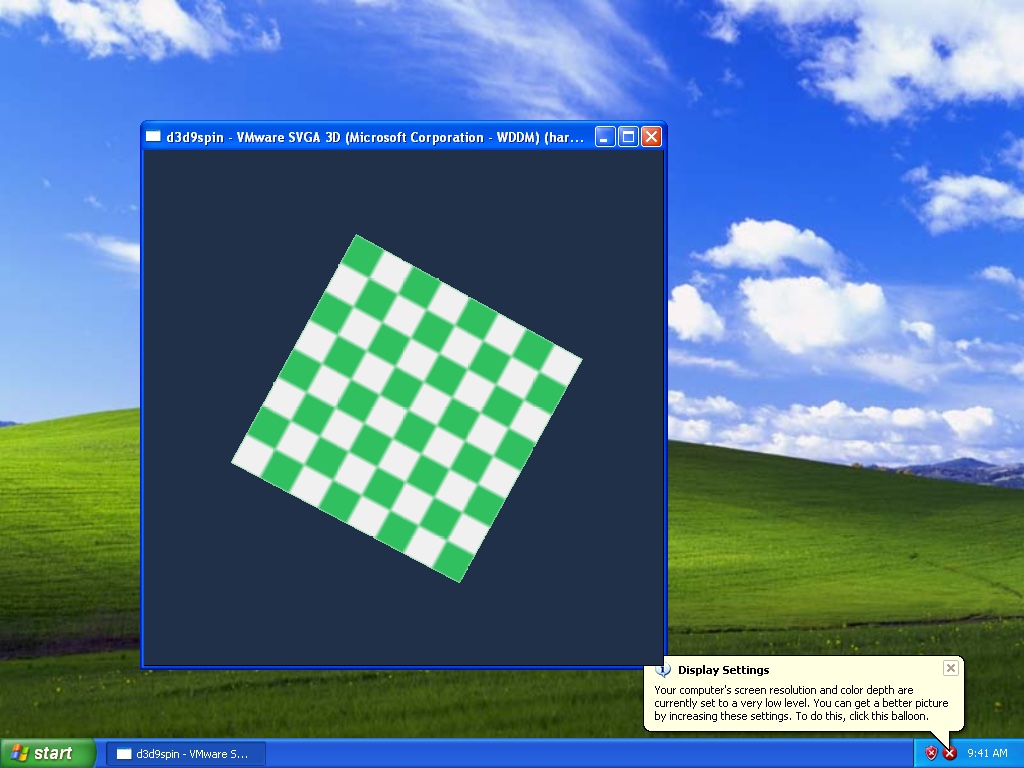
A Proxy in the VRAM path
Once things drew, d3d9spin managed only about 6 presents per second. The cause was in v86 itself: vga.svga_memory is a Proxy that builds a typed array on every element access. After changing presents to read straight into a plain VRAM view, and to read back at most once per screen refresh, d3d9spin went from about 6 to about 800 presents per second, and the worker now spent two thirds of its time in the emulated CPU.
OpenArena: correct, but slow
The next test was a real game. I installed OpenArena 0.8.8 into the image and ran it through VMware’s Mesa OpenGL driver; textures, models and HUD were all correct.
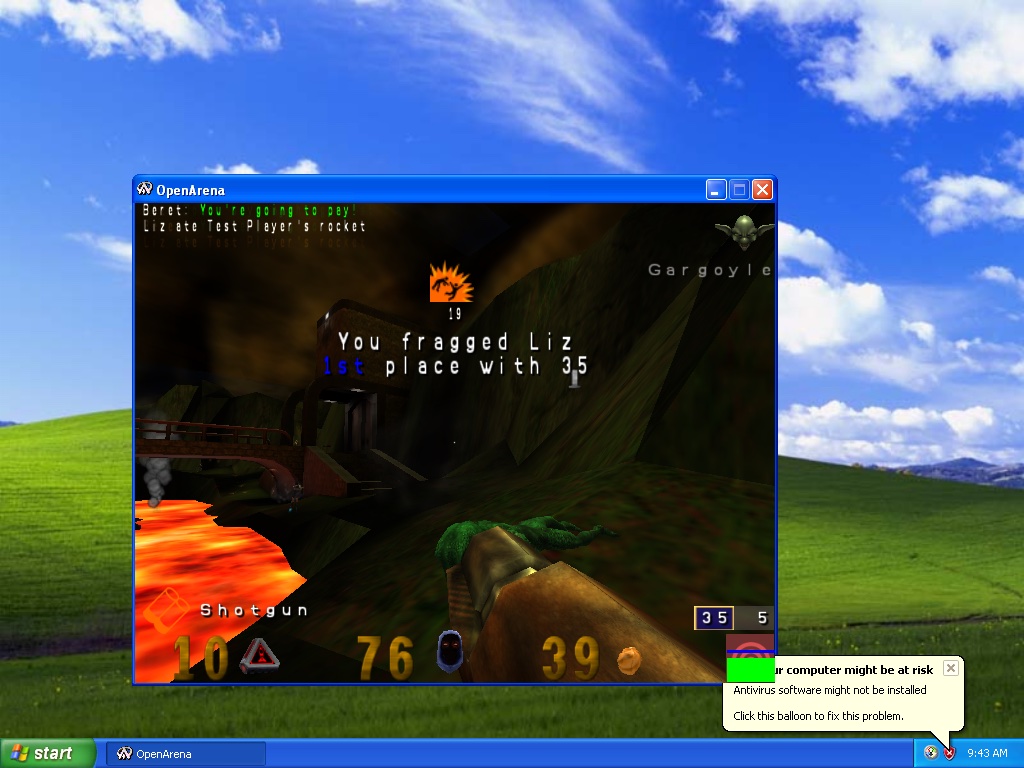
Running a recorded demo with timedemo 1; demo demo088-test1 at 640×480 gave 3398 frames in 262.3 seconds: 13.0 fps.
The profile showed the problem was not on the graphics side. Worker CPU time: guest x86 JIT code 49%, x87 SoftFloat 30%, v86 runtime 12%, readPixels 3%, SVGA3D JS 3%, display copy 2%. WebGL2 was no longer the bottleneck; the emulated CPU was.
Sampling the guest’s user-mode EIP by module: the Mesa driver (vmwogl32.dll) 2071 samples, openarena.exe 1605, system DLLs 391. The OpenGL driver cost about as much emulated CPU as the game itself. That is the flip side of the “vertices arrive transformed” finding: everything Mesa and WineD3D do in the guest runs on an emulated Pentium of roughly 300 MHz.
Moving that work out of the emulator is the subject of the next post: Bypassing the Emulated CPU: D3D/OpenGL API Forwarding and an x87 Fast Path. Here are the final numbers up front:
| Test (640×480) | VMware’s Mesa driver | API forwarding |
|---|---|---|
Irrlicht 02.Quake3Map, OpenGL | 158 FPS, black patches | 329 FPS, correct |
Irrlicht 02.Quake3Map, Direct3D 9 | no data | 498 FPS, correct |
| OpenArena timedemo | 14.0 fps | 16.9 fps |
The 14.0 fps for OpenArena already includes the x87 fast path (up from 13.0), and 16.9 fps is the “about 17 fps” figure. It is still bound by the emulated CPU.
Into the demo
On October 16 I made it the fifth machine in the demo. The page restores a 39 MB snapshot of the XP desktop, then opens the Run dialog in the guest and types the command that starts OpenArena. While the game loads, the guest streams about 130 MB of data from disk (roughly a minute); then it loops a recorded match, rendered through the forwarded OpenGL path. The snapshot is of the desktop rather than the game, because the host-side 3D state is not part of a snapshot yet.
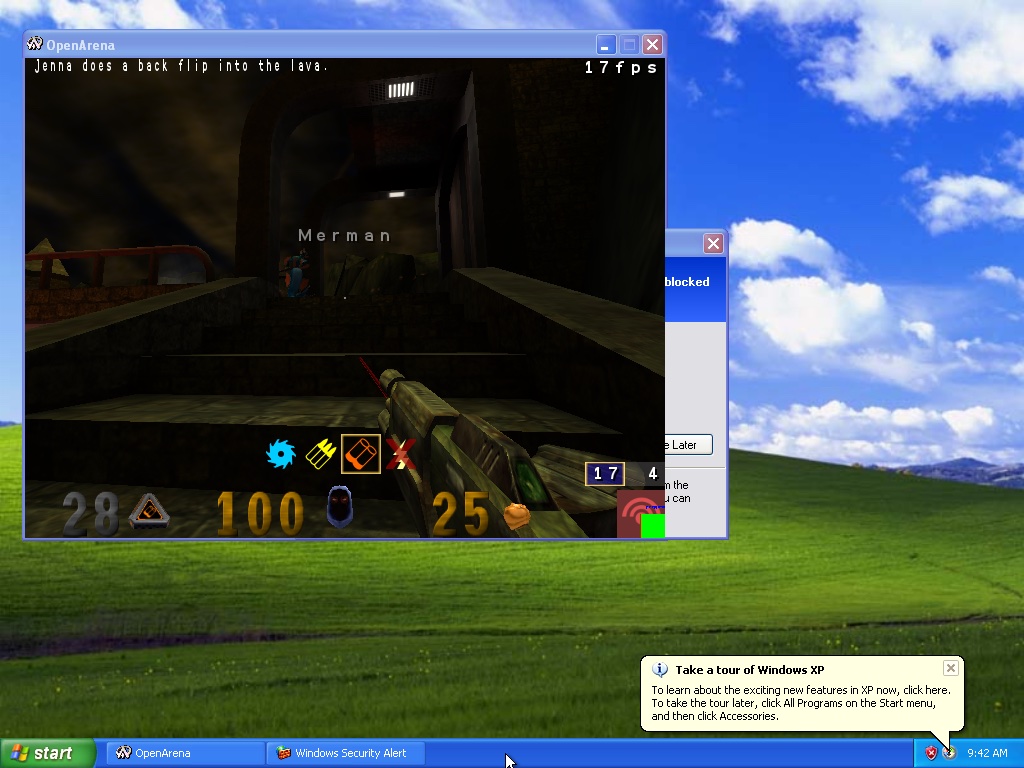
The counter at the top right of the game window is the emulated machine’s real frame rate. In the screenshots I took while making the demo snapshot it reads anywhere from 7 to 17. The demo page says to expect “single digits to about fifteen frames per second”: the emulated Pentium is the limit, not the GPU, and the live page also has to draw the screen, so it shows lower numbers than the headless runs.
Again: this 3D build is on the feat/demo-3d branch; the public demo hasn’t been updated with it.
What changed in v86
The end result is a patch against upstream v86 5f9a90f (the patch file is about 3,000 lines):
| File | What |
|---|---|
src/vmware_svga.js | the SVGA II device: registers, FIFO, GMR/GMR2, 3D capabilities, the hypercall port |
src/vmware_svga3d.js | SVGA3D on WebGL2: surfaces and formats, contexts, fixed function, shader path, streamed buffers, presents |
src/vmware_svga3d_shader.js | D3D9 shader bytecode (SM 2/3) to GLSL ES 3.00 |
src/vmware.js | VMware backdoor GuestRPC (the driver’s log; answers guestinfo.svga.enableOpenGL) |
src/rust/cpu/cpu.rs, src/rust/js_api.rs | user-mode access to the hypercall port; side-effect-free address translation and JIT invalidation for JS |
src/rust/softfloat.rs | the x87 fast path |
The last three rows are for API forwarding and x87, covered in the next post. The build runs in Docker and is reproducible: a clean build on October 16 matched the deployed core byte for byte.
Not done yet
- The 3D frame is drawn straight into VRAM over the window’s area, so windows on top of a 3D window get painted over.
- No cube or volume textures, no user clip planes, no vertex blending; the fixed-function path ignores texture transforms and texgen; one render target.
- WebGL2 is required (and
WEBGL_compressed_texture_s3tcfor DXT textures).
Going by the commits, the graphics card side moved fast: from XP running on v86 to Mesa and WineD3D drawing through WebGL2, the relevant commits all landed on October 11. The hard part is on the other side: however fast the card is, it still waits for an emulated CPU in the 300 MHz class to produce the commands.